 Save Image As
Smart deduplication
Recognises the same image served in different sizes, such as image-300x200.jpg and image.jpg, @2x files and resized copies made by WordPress, Shopify or Next.js, and keeps only the largest.
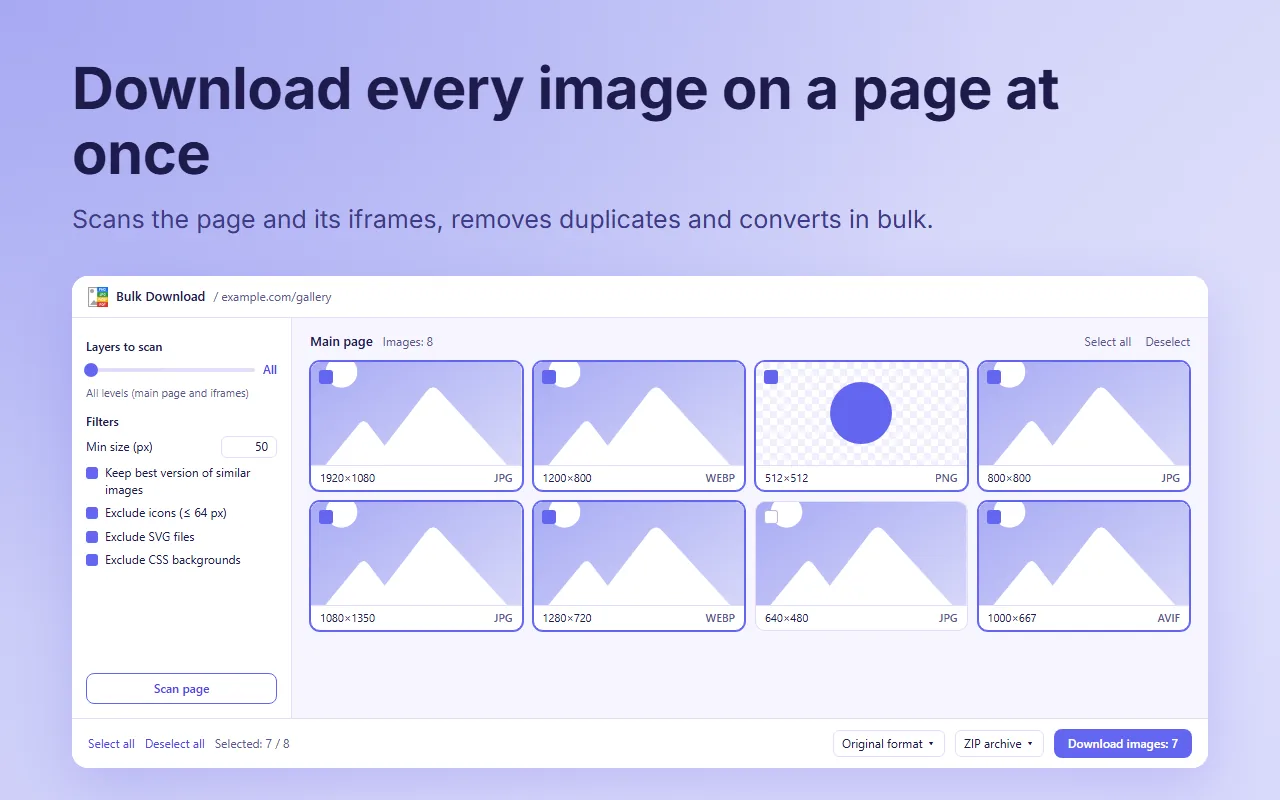
Save Image As includes a free bulk image downloader for Chrome. It scans the page you are on, iframes included, removes duplicates and tiny icons, and saves every image you select, in its original format or converted to PNG, JPG or WEBP. Everything runs locally in your browser.
Add to Chrome, it's freeUsed by 7,000+ people every week
Right-click anywhere on the page and choose "Open Bulk Download...", or click the extension icon and press "Open Bulk Download".
Press "Scan page". Choose how many iframe levels to include and set the filters, such as the minimum size.
Images on the main page are already selected. Untick the ones you do not need, or select a whole layer at once.
Choose original format, PNG, JPG or WEBP and press Download. The files go to your downloads folder.
Recognises the same image served in different sizes, such as image-300x200.jpg and image.jpg, @2x files and resized copies made by WordPress, Shopify or Next.js, and keeps only the largest.
When a site offers the same picture as AVIF, WEBP and JPG, it keeps the version your browser actually chose to display.
Scans up to 5 levels of embedded frames and groups images by layer, so you always know where an image comes from.
Excludes icons up to 64 px, SVG files, CSS backgrounds and anything below a minimum size.
Turns a whole gallery of WEBP images into JPG or PNG in one pass.
No account, no upload, no tracking. The scan starts only when you press the button.
Need just one image? Right-click it and choose "Save image as..." to save it as JPG, PNG, WEBP or PDF. See all features
Yes. It is part of Save Image As, a free Chrome extension with no ads, no account and no paid version.
Yes. By default it scans every level, the main page and all its iframes. With "Layers to scan" you can limit it to the main page only or to the main page plus up to 5 iframe levels. Images from iframes are shown but not pre-selected.
Not by default: it keeps the largest version of similar images and skips icons up to 64 px. You can turn both filters off.
Yes. Choose PNG, JPG or WEBP before downloading, or keep the original format.
The scan finds images in img and picture elements and in inline CSS backgrounds. Images drawn on a canvas, set in external style sheets or loaded only while scrolling may not appear: scroll the page to the end and scan again.
In your default Chrome downloads folder, without a "Save as" window for each file.